AI program for my complaints
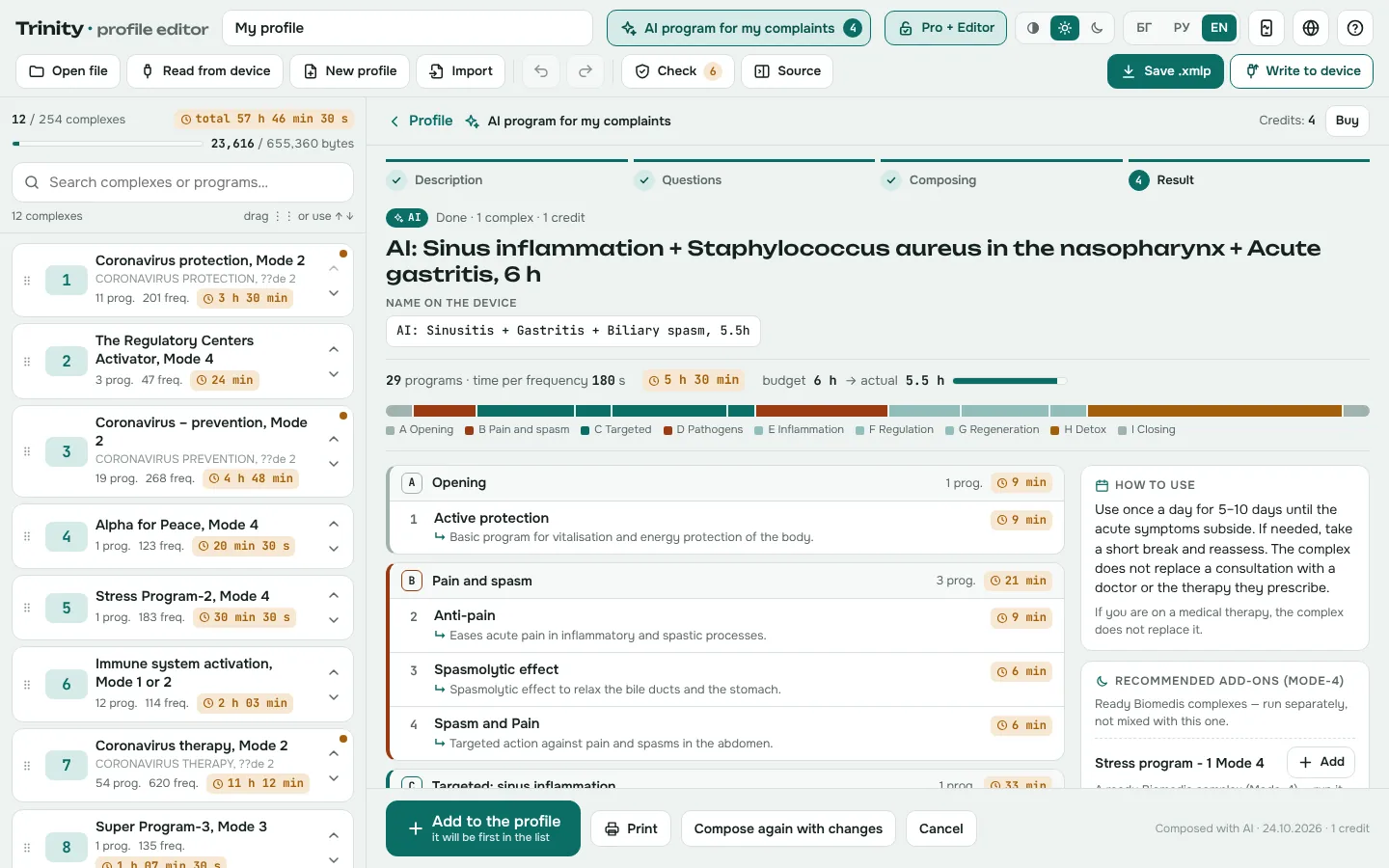
Describe your complaints — the editor composes a complex for the time you have.
Search by complaint across 218 complexes and 1,238 sub-programs on your phone — free; with the editor and AI, compose a complex for your complaints in the time you have, from the 5,610 Biomedis programs.
No sign-up · installs on your phone · works offline · English, Russian and Bulgarian
Three short videos: the AI program, the phone app and the profile editor.
Describe your complaints — the editor composes a complex for the time you have.
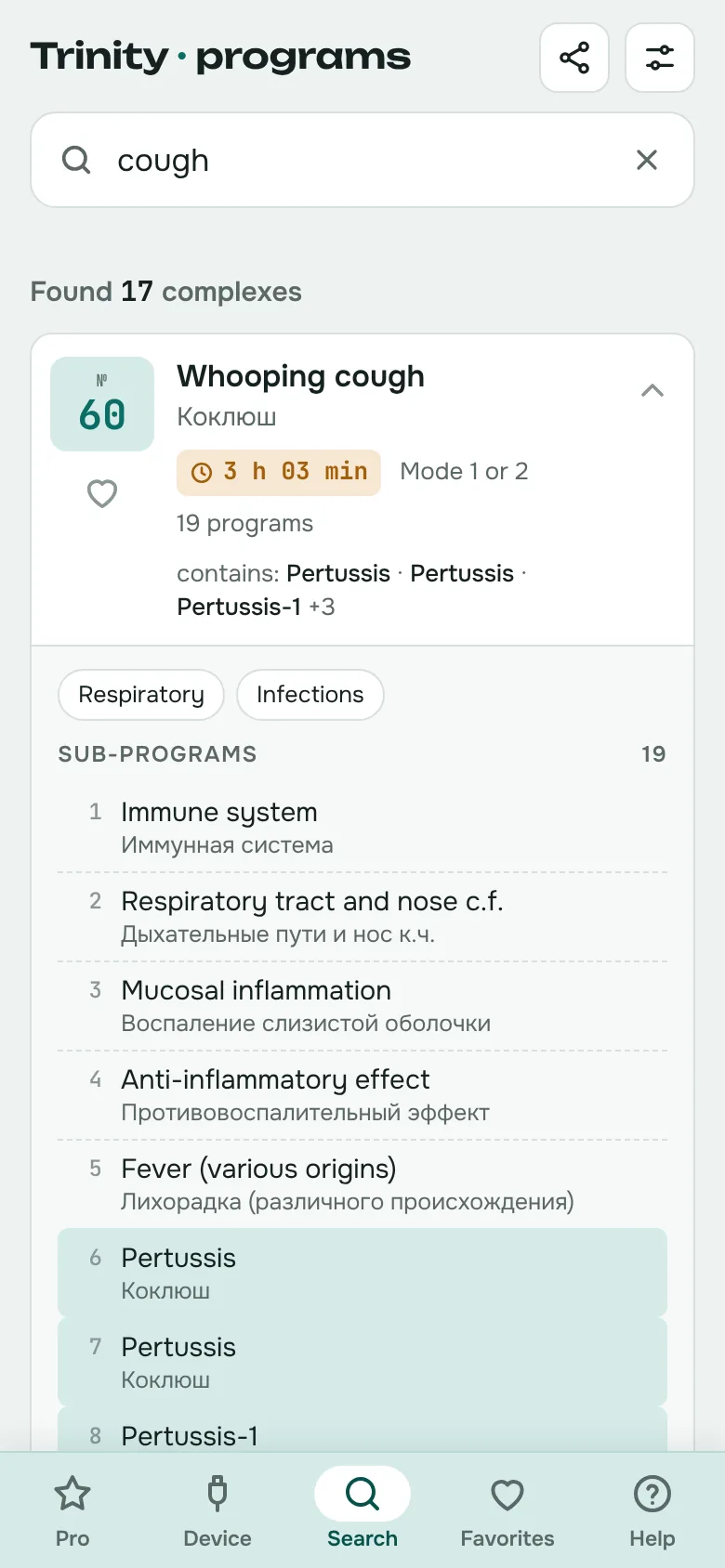
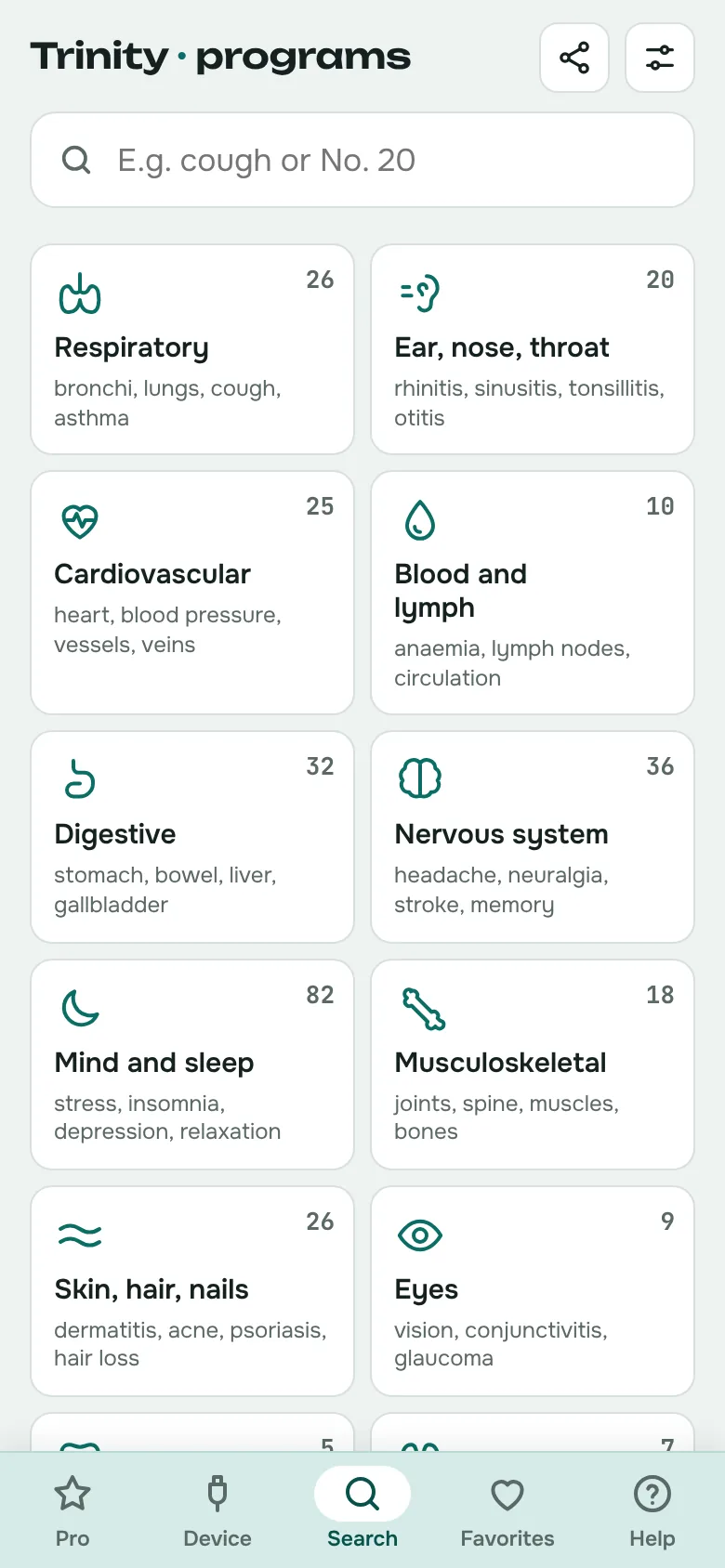
Search by complaint, body system or body part — with the number and duration.
Your own complexes, sub-programs and frequencies — written to the device over USB.
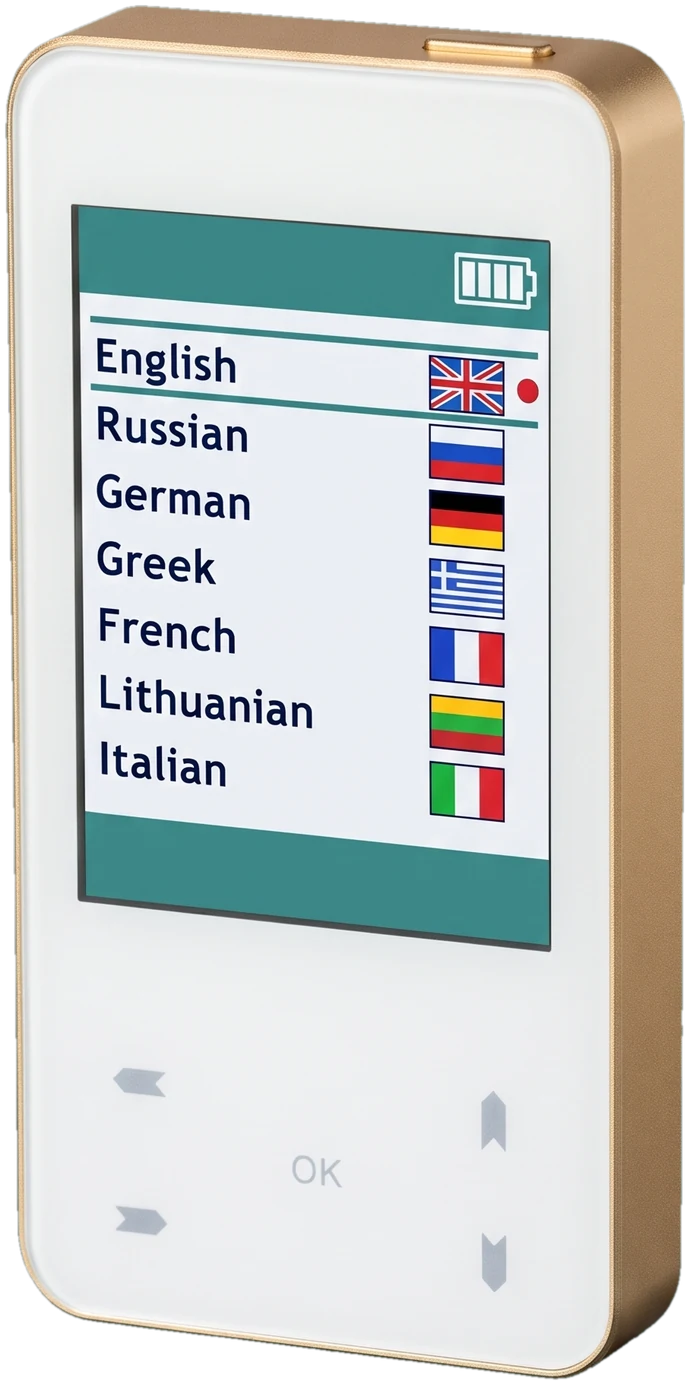
On the device the list is alphabetical and the sub-programs are in Russian. The app arranges it by complaint, body system and body part.
“Cough”, “anxiety”, “lower back pain”, “can't sleep”. Search understands synonyms and everyday words, tolerates typos and shows which sub-program matched.
21 body systems — respiratory, cardiovascular, digestive, mind and sleep and more. The best-matching complexes come first.
A front and back figure: lungs, heart, stomach, kidneys, lower back, knees. Handy when you know where it hurts but not what the problem is called.
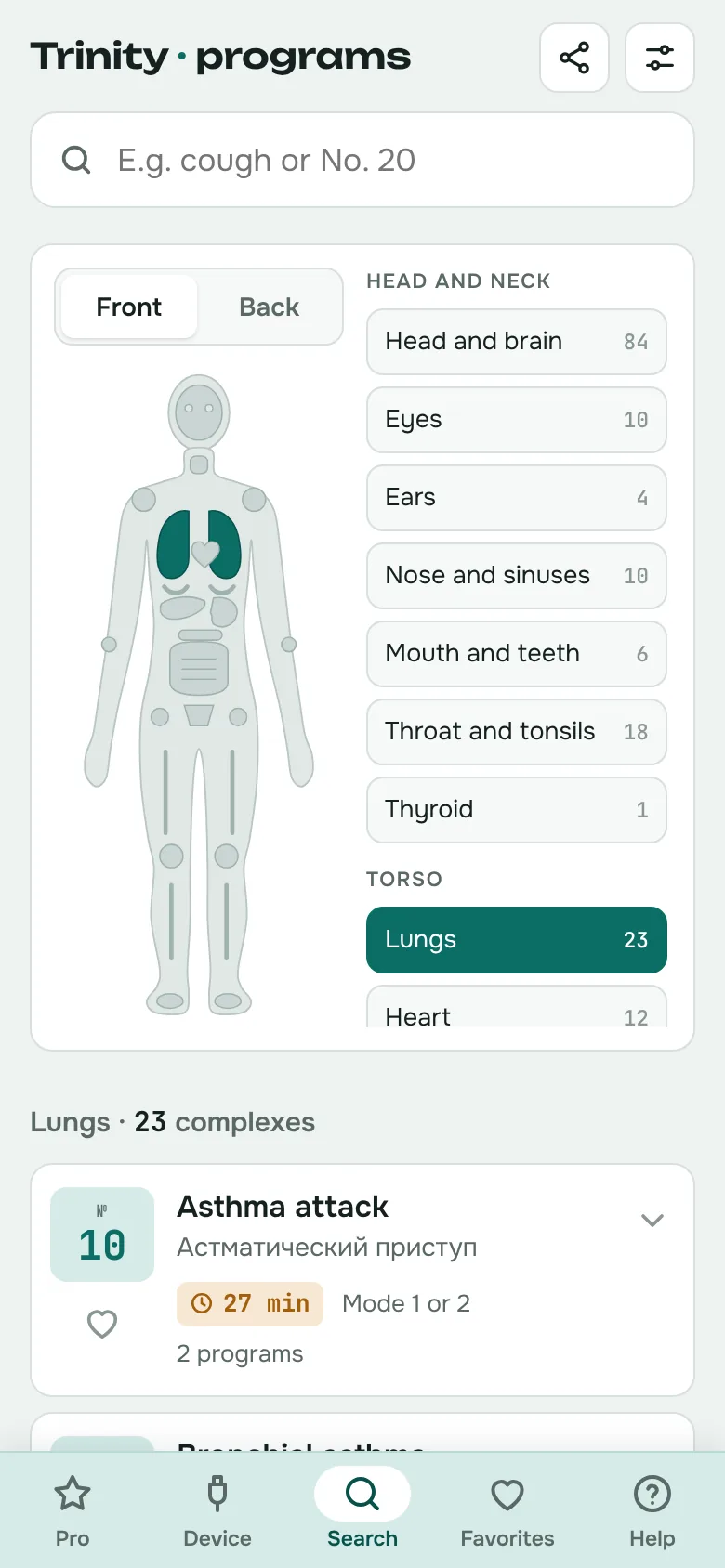
Every complex shows its device number, duration and mode at a glance.
Over 1,200 sub-programs translated from Russian into English and Bulgarian. The second line shows the original.
Interface in English, Russian or Bulgarian. Search covers all three at once.
Installs on your phone like an app and opens from the home screen, even without a connection.
The app shows exactly the complexes on your device, with their numbers. When you change the list on the device, you update the app too and the numbers match again.
QR code and a link for Viber, WhatsApp, Telegram, email or SMS — right from the app.
On a computer (Chrome or Edge) — during the free trial and with Trinity Pro — connect the device with a USB cable and the app reads the profile straight from it, without the Biomedis software. Then apply it or save it as a file for your phone.
Someone sent you a profile with complexes? With Trinity Pro you write it to the device straight from your computer. The app makes a backup first and checks afterwards that everything was written exactly.
A profile with complexes (.xmlp file), exported from the Trinity software or sent by someone else, can be uploaded on your phone too. The app shows which complexes are new, changed or removed.
The profile editor is for people who want more than the ready-made list: gather programs from the Biomedis bases into your own complexes, fine-tune frequencies and write the profile to the device. It runs in the browser on your computer, with nothing to install.
Opening, browsing and checking are free. Saving and writing to the device need Pro + Editor, 49 € one-time.
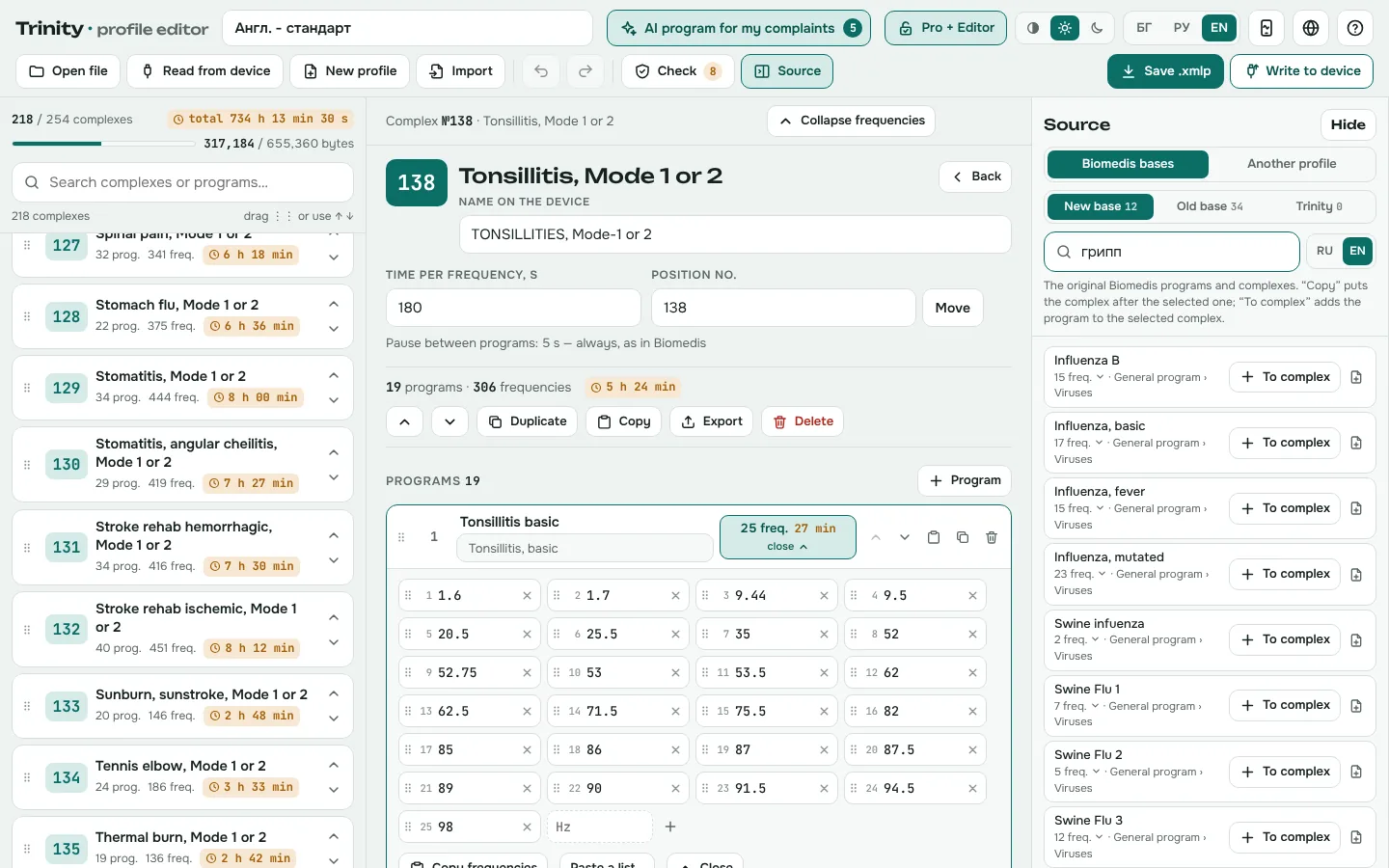
Describe your complaints and the findings of bioresonance diagnostics, choose how much time you have — and the editor composes a ready complex for Trinity the way Biomedis builds its own. No frequencies are invented: the AI only picks programs from the Biomedis base.
From 4.99 € per composition, with credits on the Pro + Editor licence. A credit is used only when a complex is composed successfully.
Your complaints and findings in your own words — in English, Bulgarian or Russian. Sex, age, acute or chronic, detox and the time (30 min to 10 h).
If needed, up to 4 short questions — each with “I don't know”. You see how your description was understood before a credit is used.
The finished complex with a “why” for every program, a usage scheme and what was left out for time. You add it at the top of the profile, print it on one page and write it to the device.
All 218 complexes of Trinity’s standard list, arranged by body system — for each complex you can read what it is intended for and which programs it includes.
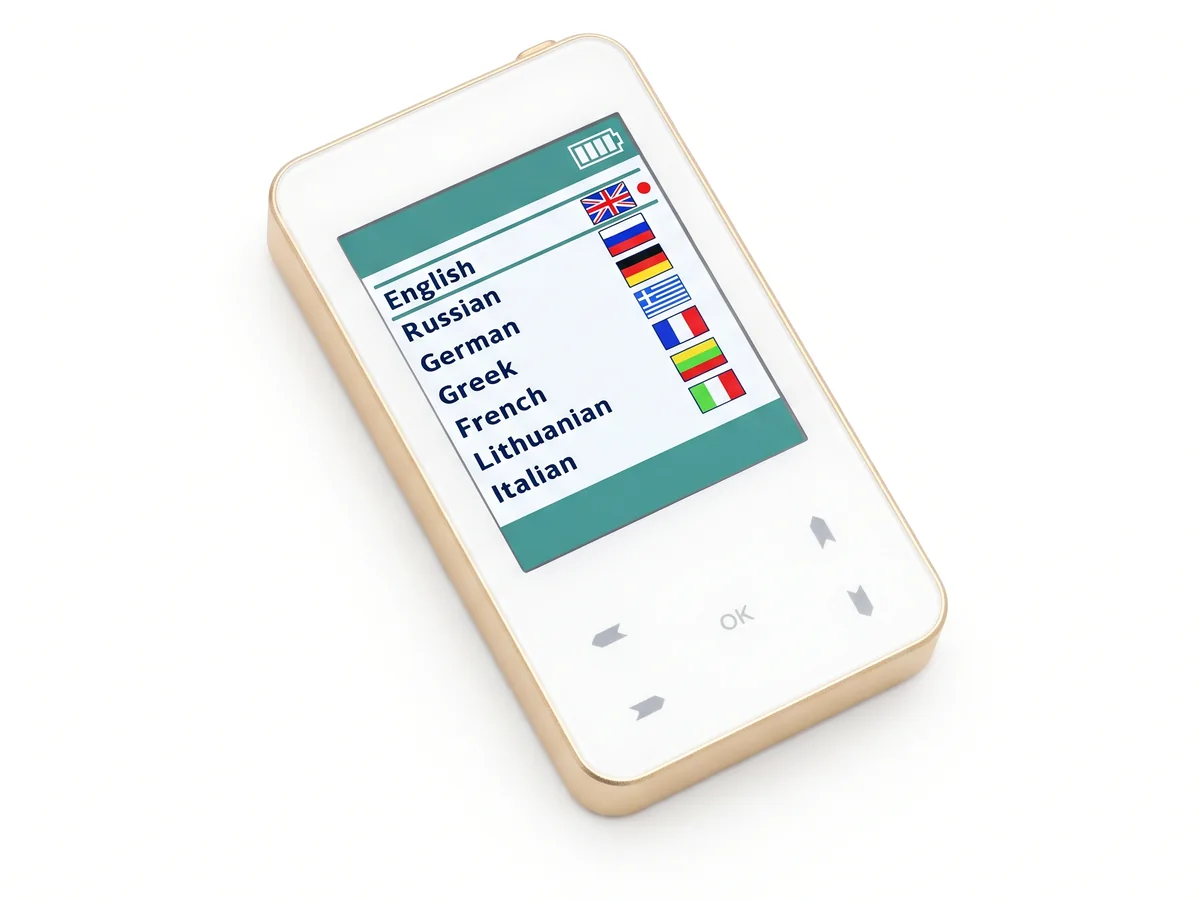
Trinity is the pocket bioresonance device by Biomedis that this app works with. See what it looks like, what is inside, its modes and specifications, and how to order one on the device page.
Go to the device page →Try every feature for 14 days, including reading from the device, with no sign-up and no bank card. Only writing to the device needs Pro. Then unlock the app with a one-time payment, no subscription.
Pay 19 € for Pro or 49 € for Pro + Editor via Paysera. As soon as the payment is confirmed (usually within minutes) you receive an unlock code by email. Enter it once — in the app or in the editor.
Prices are final; the seller is not registered for VAT.
Tick the box to agree before continuing to payment.
credits on your Pro + Editor licence, no expiry
Credits are bought in the editor itself, after you enter your Pro + Editor code, and are recorded against the licence.
No. Trinity · programs is an independent reference made by Trinity users. It is not affiliated with Biomedis — it helps you quickly find the number of the program you then run on the device. On a computer it can also read the profile with complexes from the device over a USB cable, and with Trinity Pro it can write a profile to the device.
Biomedis Trinity is a compact bioresonance device by Biomedis. Its memory holds hundreds of ready-made program complexes, each with its own number, duration and mode. Trinity · programs helps you quickly find the number of the complex you need by complaint, body system or body part.
Bioresonance (frequency) therapy is a complementary medicine method in which a device emits weak electromagnetic signals at specific frequencies. Each Trinity program is a set of such frequencies. The method does not replace diagnosis and treatment by a doctor.
Type the complaint into the search box — for example “cough”, “headache” or “high blood pressure”. The app lists matching complexes with their number and duration, best matches first.
Yes. The names of all 218 complexes and over 1,200 sub-programs are available in English, Russian and Bulgarian.
Yes. Under “Complexes on my device” in the menu, pick your list version — “BG extended” or “English standard” (218 complexes). Numbers, sub-programs and durations follow the version you choose.
Only the first time. Once installed on your phone, the app works offline.
On Android, open the app in Chrome and tap “Install”. On Samsung phones don't install through Samsung Internet — Google Play Protect blocks it; the app will offer to open in Chrome for you. On iPhone, open the page in Safari, tap the Share button and choose “Add to Home Screen”.
We update the app from the device’s new profile and installed copies update themselves the next time they open online. You can also upload the profile with complexes (a file with the .xmlp extension) yourself with the “Device” button — the changes apply to your device. On a computer (Chrome or Edge) the profile can also be read straight from the device over a USB cable — during the free trial too.
Yes, with the profile editor (Pro + Editor, 49 € one-time). It lets you create and change complexes, programs and frequencies, add programs from the Biomedis frequency bases, check the profile and write it to the device over USB — on a computer with Chrome or Edge. Without a licence the editor opens and checks profiles, so you can see how it works.
No. The frequencies and their names in the editor come from the Biomedis M Air base, which Biomedis provides free of charge with its own software. They are not sold — you pay only for the software: the app and the editor.
Your description goes to a language model (Google Gemini), which turns it into a list of findings and, if needed, asks up to 4 questions. Based on the findings, the server then picks matching programs from the Biomedis base and examples from its ready complexes, and the model selects and orders the programs in the blocks Biomedis uses. Finally, the code checks the time with the device formula, the order, the detox and the name — and shows you the result to review before you add it.
From the Biomedis M Air base, which Biomedis provides free of charge with its own software — the same base that is built into the editor. The AI program creates no new frequencies and changes none: it only selects ready programs from that base. You pay for the composing service, not for the frequencies.
It is sent to Google Cloud Vertex AI in the European Union only to compose the complex, and it is not stored on our server. For up to 2 hours we keep only the structured findings (without the text) so you can answer the questions and compose again. The server log holds only the date, the licence number, the token count and the result — no text.
The first 14 days are free, with every feature, including reading from the device; only writing to the device needs Pro. After that Pro costs 19 € one-time, with no subscription, paid via Paysera — by card, Apple Pay or Google Pay — and includes all future updates. Pro + Editor, which adds the profile editor, costs 49 €, also one-time.
Works in the browser on your phone and computer. No sign-up needed.